
NeuraCore Technologies
PEPPER FOR WINDOWS · SECURE. PRIVATE. UNLIMITED.
Your Confidential Private Assistant
Prepare thoughtful email drafts, make sense of meetings and work through your documents with supported local AI models.


Download through your platform Store. Subscription terms and current prices are shown before purchase.
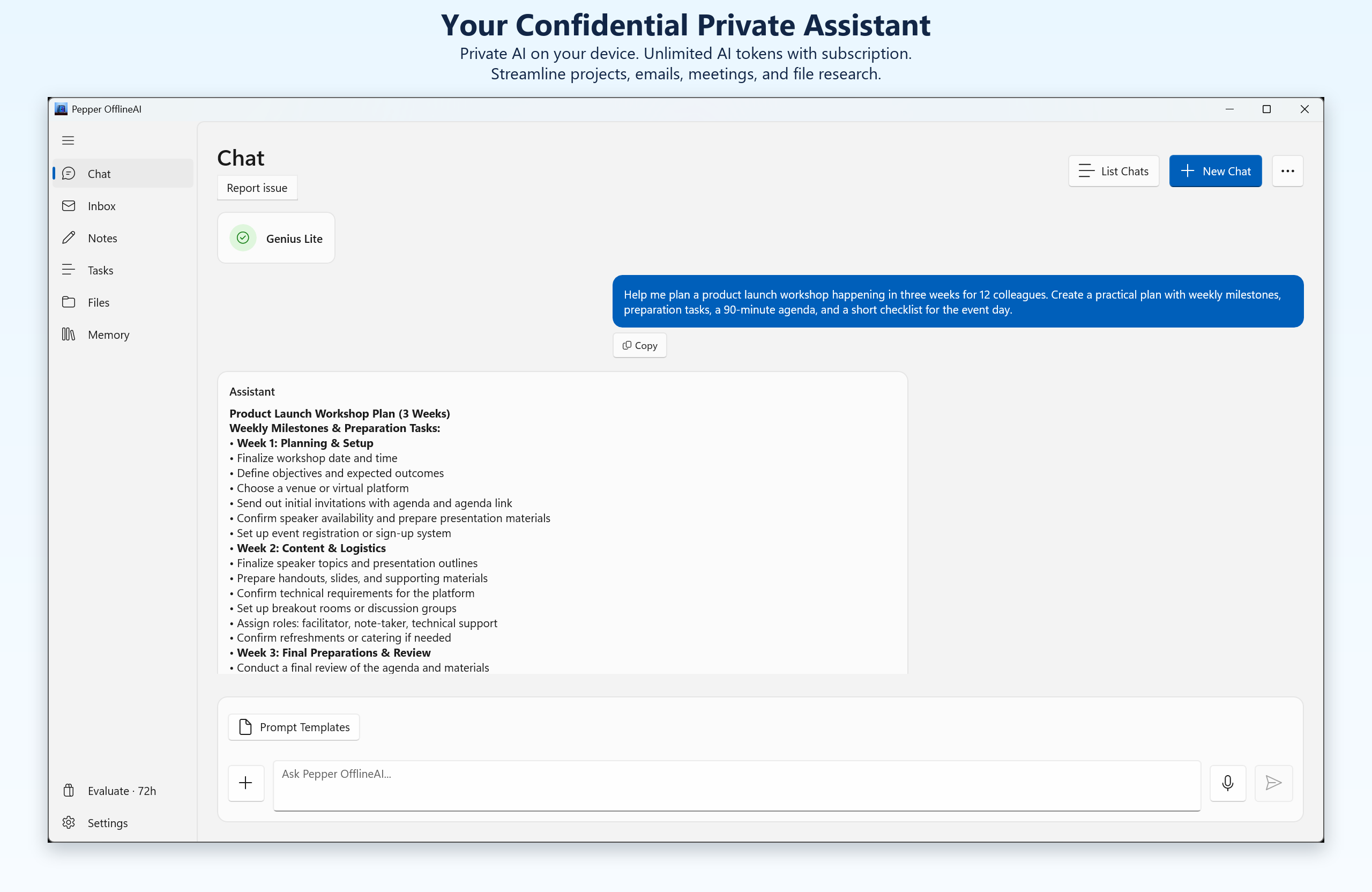
YOUR WORKING DAY
Office productivity with on-device AI.
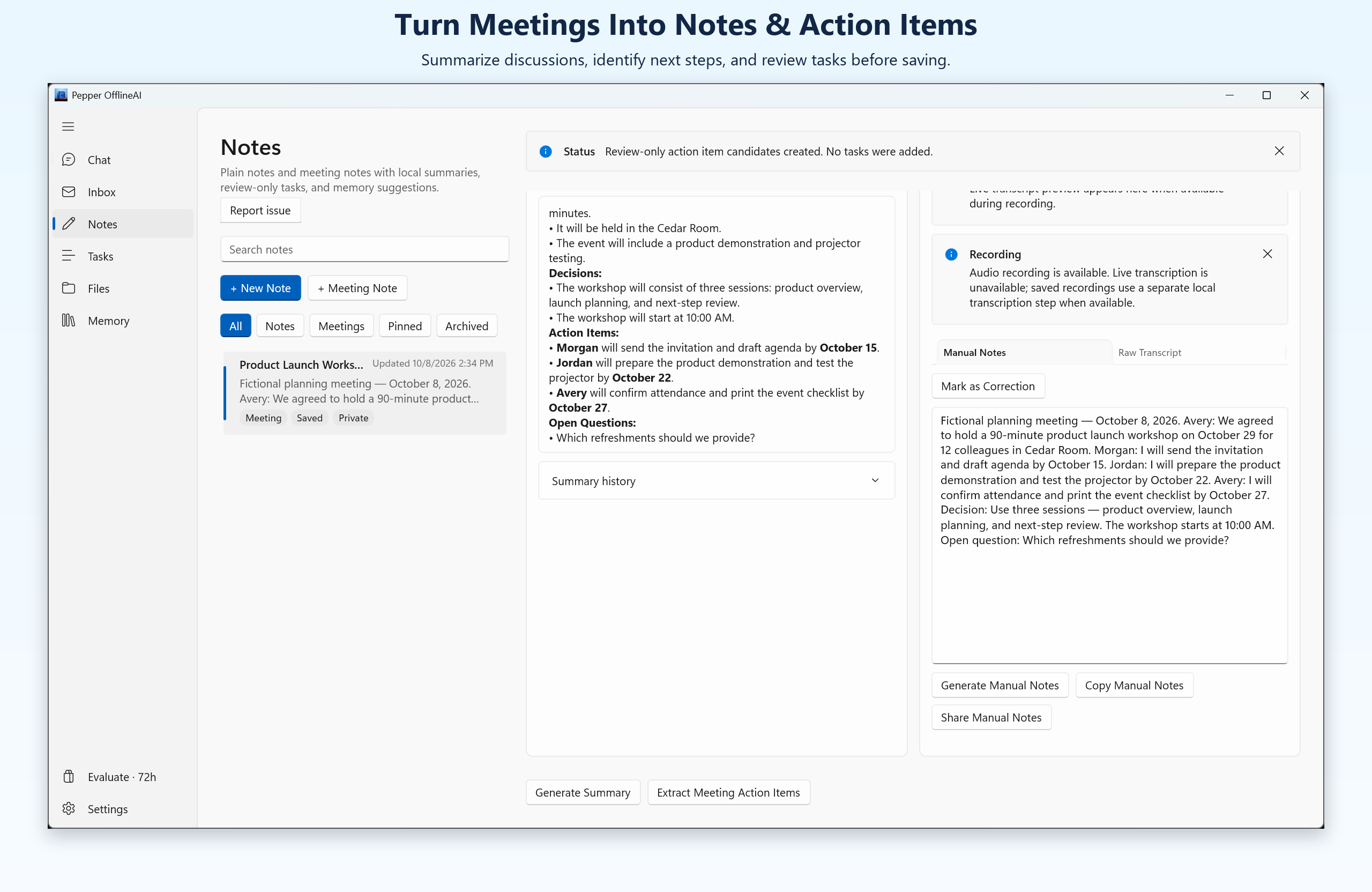
Meeting transcription and actions
Work from a transcript to a summary and proposed action items.
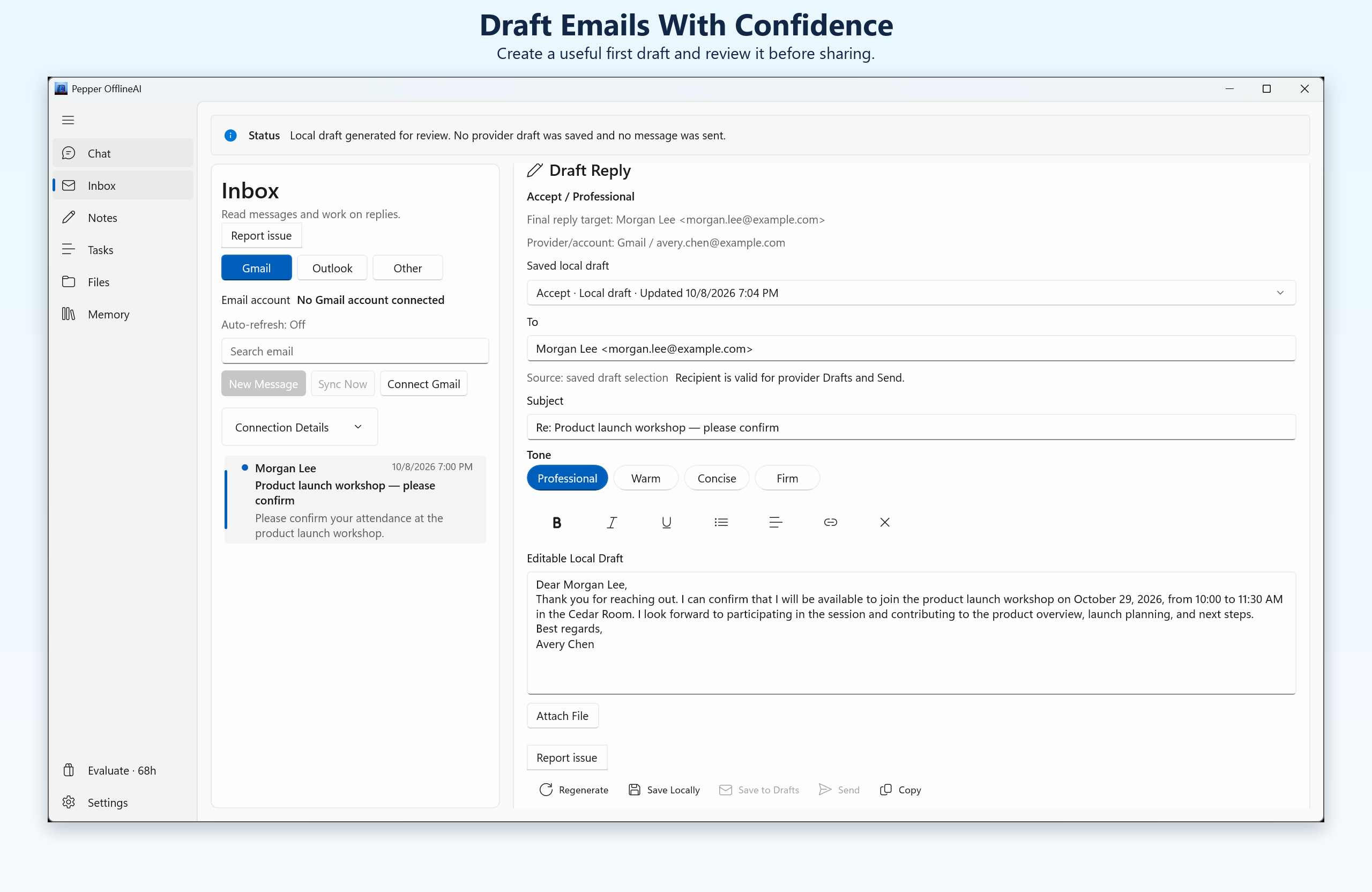
Email drafts
Review key requests and prepare replies or follow-ups. You choose what to send.
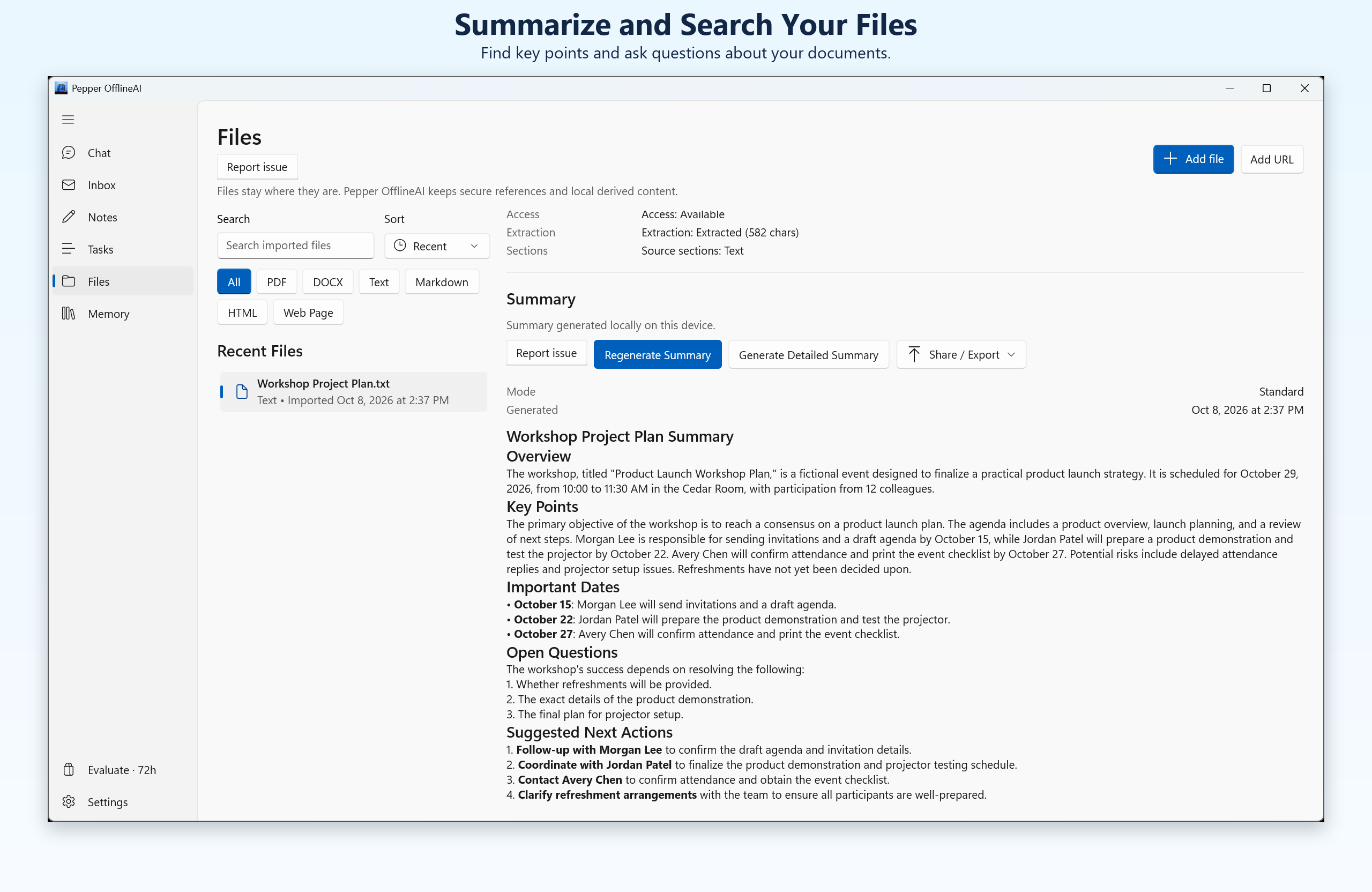
Files and sources
Summarize supported files and ask questions about the sources you add.
LOCAL AI
Match the model to your machine.
Choose from the compatible models available in Pepper. Available memory, hardware and model size shape the experience.
GET STARTED
See current access options.
Pepper offers a 72-hour local evaluation. A monthly or yearly subscription is required afterward; neither Microsoft Store subscription includes an additional Store trial. See current prices and billing terms before purchase.
Download through your platform Store. Subscription terms and current prices are shown before purchase.

